You know what I realized the other day? I'd been working with the same authentication system for months, and I was getting tired of typing my password every time I wanted to test something. Then it hit me: if I'm annoyed by this, what about our actual users?
So naturally, I did what any reasonable developer would do: I decided to learn something completely new and implement WebAuthn passkey authentication. Because why make life easy when you can make it interesting, right?
I'd been hearing about passkeys everywhere but never actually built anything with them. Apple's pushing Face ID, Google's talking about Touch ID, and Microsoft keeps mentioning Windows Hello. It seemed like the future of authentication was happening without me.
Time to fix that.
The "Why Not?" Moment: When Curiosity Leads to Code
I wasn't trying to solve some massive user complaint or fix a broken system. Our password-based auth was working fine. But you know that feeling when you see a technology everywhere and think "I should probably understand how this actually works"?
That was me with WebAuthn.
Plus, I'd been reading about how passkeys are supposedly the future of authentication: no more forgotten passwords, no more SMS codes, just biometric magic that works across devices. Sounded too good to be true, which meant it was probably worth investigating.
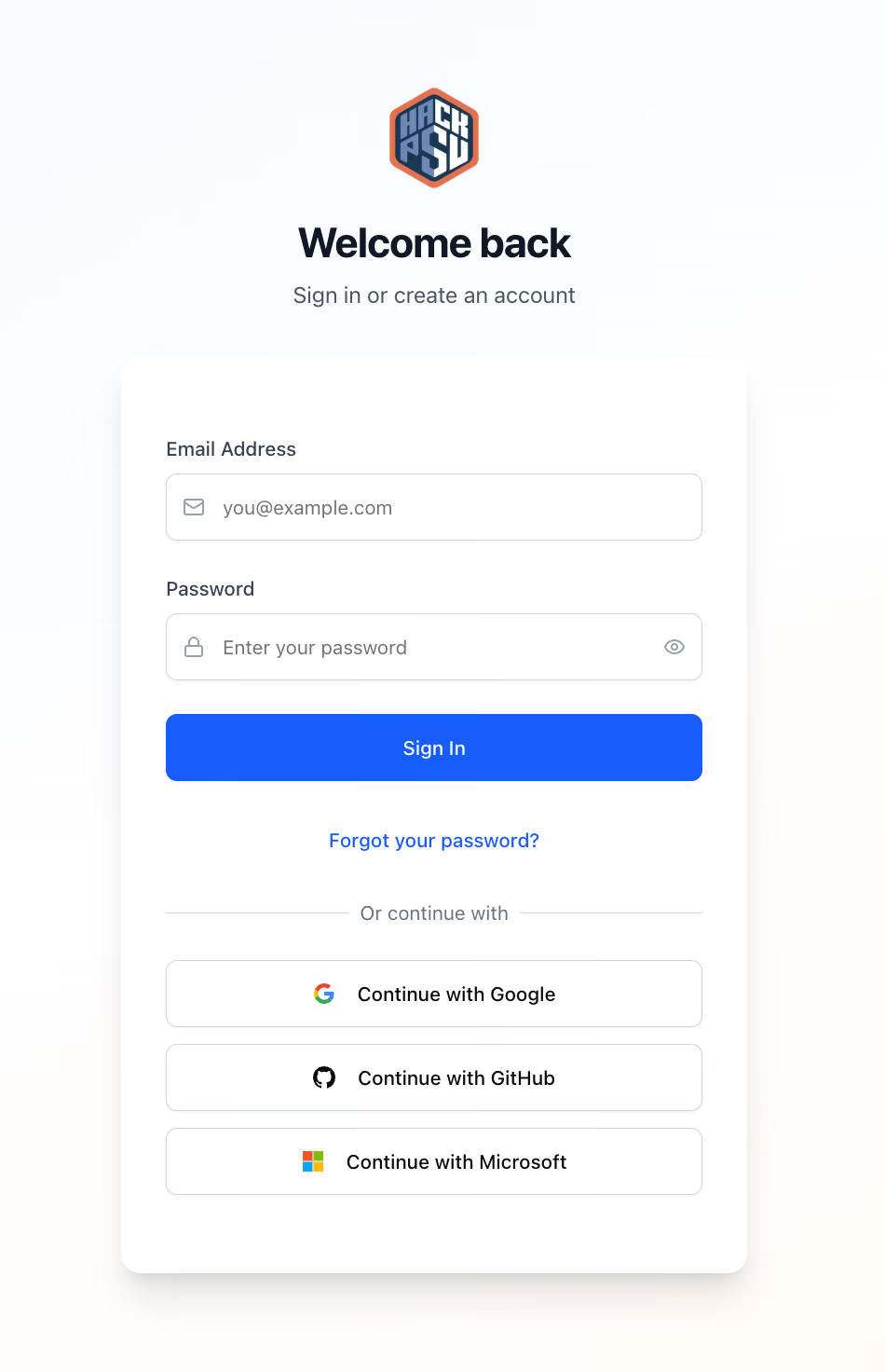
The goal was simple: let people log into HackPSU with their fingerprint, Face ID, or whatever biometric auth their device supports. And if it worked well enough, maybe we'd learn something useful about the future of web authentication.
The Learning Curve: WebAuthn is Weird (But Good Weird)
Here's what I discovered pretty quickly: WebAuthn isn't like other authentication systems. It's not just "replace password with fingerprint." It's a whole different paradigm that required rethinking how authentication flows work.
The WebAuthn Dance:
Registration: Create a new credential tied to the user's device and biometrics
Authentication: Use that credential to prove identity without passwords
Device Management: Handle multiple devices, lost phones, and new registrations
The tricky part? WebAuthn has two completely different ceremonies (registration vs authentication), and your API needs to handle both seamlessly. Oh, and the user experience needs to guide people through different flows depending on whether they're new users, existing users with passkeys, or existing users without passkeys.
Yeah, it gets complicated fast.
The Architecture: Three Paths Diverged in a Yellow Auth Flow
After way too much experimentation, we landed on a three-tiered approach that actually makes sense:
Drag to pan · Arrow keys to move
Loading diagram…
The three-path WebAuthn flow (simpler than it looks, I promise)
The Three User Types:
Brand new users: Jump straight to passkey creation during registration
Existing users with passkeys: Use their biometrics to sign in instantly
Existing users without passkeys: Need to sign in with password first, then can add passkeys
This approach meant we could roll out passkey support gradually without breaking existing workflows. Existing users keep doing what they're doing, but new users get the fancy biometric experience.
The Code: Making WebAuthn Actually Work
Let's start with the fun part, the API that figures out what kind of user we're dealing with:
// /app/api/webauthn/get-options/route.tsexportasyncfunctionPOST(request:NextRequest){const{email}=awaitrequest.json()letuid:stringletuserExists=false// The detective work: figure out what kind of user this istry{constexistingUser=awaitadmin.auth().getUserByEmail(email)uid=existingUser.uiduserExists=true// Do they already have passkeys?constcredentialsSnapshot=awaitdb.collection('users').doc(uid).collection('webauthn-credentials').get()consthasCredentials=!credentialsSnapshot.emptyif(hasCredentials){// Path 2: Existing user with passkeys → authentication flowconstallowCredentials=credentialsSnapshot.docs.map((doc)=>({id:doc.data().credentialID,type:'public-key'asconst,transports:doc.data().transports,}))constoptions=awaitgenerateAuthenticationOptions({rpID:process.env.NEXT_PUBLIC_WEBAUTHN_RP_ID||'localhost',allowCredentials,userVerification:'preferred',})// Store session data for verificationawaitstoreSessionData(options.challenge,uid,'authentication')returnNextResponse.json({...options,flow:'authentication',message:'Use your passkey to sign in',})}else{// Path 3: Existing user without passkeys → require passwordreturnNextResponse.json({error:'Please sign in with your password first, then add a passkey from your dashboard',requireAuth:true,},{status:401},)}}catch(error){// Path 1: New user → create account and passkeyconstnewUser=awaitadmin.auth().createUser({email,displayName:email,emailVerified:true,// Passkey users are considered verified})uid=newUser.uidconstoptions=awaitgenerateRegistrationOptions({rpName:'HackPSU Auth',rpID:process.env.NEXT_PUBLIC_WEBAUTHN_RP_ID||'localhost',userName:email,userID:newTextEncoder().encode(uid),userDisplayName:email,attestationType:'none',// We don't need attestation for this use caseauthenticatorSelection:{residentKey:'preferred',// Store credentials on device when possibleuserVerification:'preferred',// Use biometrics when available},supportedAlgorithmIDs:[-7,-257],// ES256 and RS256})awaitstoreSessionData(options.challenge,uid,'registration')returnNextResponse.json({...options,flow:'registration',isNewUser:true,message:'Create your first passkey to get started',})}}
The magic is in the flow detection. We check if the user exists, then if they have passkeys, and route them to the appropriate ceremony. No guesswork, no weird edge cases, just clean logic that handles every scenario.
The Tricky Part: Session State Management
Here's something they don't tell you about WebAuthn: you need to store challenge data between the options request and the verification request. But you also need to make sure that data is secure and can't be tampered with.
Our solution? HTTP-only cookies with strict security headers:
// Store WebAuthn session data securelyasyncfunctionstoreSessionData(challenge:string,uid:string,flow:string){constcookieStore=awaitcookies()cookieStore.set('webauthn-challenge',challenge,{httpOnly:true,secure:process.env.NODE_ENV==='production',sameSite:'strict',maxAge:300,// 5 minutes - short enough to be secure})cookieStore.set('webauthn-user-id',uid,{httpOnly:true,secure:process.env.NODE_ENV==='production',sameSite:'strict',maxAge:300,})cookieStore.set('webauthn-flow',flow,{httpOnly:true,secure:process.env.NODE_ENV==='production',sameSite:'strict',maxAge:300,})}
Five-minute expiry keeps things secure, and HTTP-only means no JavaScript can access these cookies. The WebAuthn ceremony either completes in that window or it fails with no lingering session state to worry about.
The User Experience: Making Biometrics Feel Natural
The frontend had to handle three different flows gracefully. Here's how we made that work:
// The magic function that handles all three pathsexportasyncfunctionauthenticateWithEmail(email:string){try{// Get options - the API figures out which flow we needconstoptionsResponse=awaitfetch('/api/webauthn/get-options',{method:'POST',headers:{'Content-Type':'application/json'},body:JSON.stringify({email}),})constoptions=awaitoptionsResponse.json()if(!optionsResponse.ok){if(options.requireAuth){return{success:false,error:'Please sign in with your password first, then add a passkey from your dashboard',requireAuth:true,}}thrownewError(options.error||'Failed to get authentication options')}letcredential// Handle both flows with the same interfaceif(options.flow==='registration'){credential=awaitstartRegistration(options)}else{credential=awaitstartAuthentication(options)}// Unified verification endpointconstverificationResponse=awaitfetch('/api/webauthn/verify',{method:'POST',headers:{'Content-Type':'application/json'},body:JSON.stringify({credential}),})constresult=awaitverificationResponse.json()if(result.verified&&result.customToken){// Sign in with FirebaseawaitsignInWithCustomToken(auth,result.customToken)return{success:true,message:result.message||'Success!',flow:options.flow,isNewUser:options.isNewUser,}}else{thrownewError(result.error||'Verification failed')}}catch(error){return{success:false,error:errorinstanceofError?error.message:'Authentication failed',}}}
The beautiful part? From the UI's perspective, it's just one function call. The complexity is hidden behind the API, so React components can focus on showing the right loading states and error messages.
The Dashboard Integration: Adding Passkeys Post-Login
For existing users who want to add passkeys, we built a simple dashboard integration:
// Add a passkey to an already-authenticated accountexportasyncfunctionaddPasskeyToAccount(idToken:string){try{// Get registration options for authenticated userconstoptionsResponse=awaitfetch('/api/webauthn/add-passkey',{method:'POST',headers:{'Content-Type':'application/json',Authorization:`Bearer ${idToken}`,// Dual auth: cookies OR Bearer token},})if(!optionsResponse.ok){thrownewError('Failed to get registration options')}constoptions=awaitoptionsResponse.json()// Start the registration ceremonyconstcredential=awaitstartRegistration(options)// Verify and store the new credentialconstverificationResponse=awaitfetch('/api/webauthn/verify',{method:'POST',headers:{'Content-Type':'application/json'},body:JSON.stringify({credential}),})constresult=awaitverificationResponse.json()if(result.verified){return{success:true,message:'Passkey added successfully!',}}else{thrownewError(result.error||'Verification failed')}}catch(error){return{success:false,error:errorinstanceofError?error.message:'Failed to add passkey',}}}
The API endpoint /api/webauthn/add-passkey handles authentication via either session cookies (for our existing subdomain auth) or Bearer tokens (for API calls). This flexibility meant we could add passkey support without breaking our existing authentication flows.
The Security Deep Dive: Dual Authentication and Validation
One thing I'm particularly proud of is how we handled API security. Every protected WebAuthn endpoint supports dual authentication methods:
// /app/api/webauthn/add-passkey/route.tsexportasyncfunctionPOST(request:NextRequest){try{// Support both session cookies AND Bearer tokensconstcookieStore=awaitcookies()constsessionCookie=cookieStore.get('session')?.valueconstauthHeader=request.headers.get('authorization')letdecodedTokenif(sessionCookie){// Verify session cookie (from our subdomain auth system)decodedToken=awaitadmin.auth().verifySessionCookie(sessionCookie)}elseif(authHeader&&authHeader.startsWith('Bearer ')){// Verify ID token (for direct API calls)constidToken=authHeader.split('Bearer ')[1]decodedToken=awaitadmin.auth().verifyIdToken(idToken)}else{returnNextResponse.json({error:'Authentication required'},{status:401},)}constuid=decodedToken.uidconstemail=decodedToken.email// Generate registration options for this specific userconstoptions=awaitgenerateRegistrationOptions({rpName:'HackPSU Auth',rpID:process.env.NEXT_PUBLIC_WEBAUTHN_RP_ID||'localhost',userName:email,userID:newTextEncoder().encode(uid),userDisplayName:email,attestationType:'none',authenticatorSelection:{residentKey:'preferred',userVerification:'preferred',},supportedAlgorithmIDs:[-7,-257],})// Store session data for verificationawaitstoreSessionData(options.challenge,uid,'registration')returnNextResponse.json({...options,flow:'registration',message:'Create a new passkey for your account',})}catch(error){console.error('Error generating passkey registration options:',error)returnNextResponse.json({error:'Failed to generate passkey registration options'},{status:500},)}}
This dual-auth approach means the WebAuthn system plays nicely with our existing session-cookie-based authentication while also supporting direct API access. Best of both worlds.
The Reality Check: What Actually Happened in Production
Let me be honest, this wasn't a smooth ride from day one. Here are the real lessons learned:
What Worked Great:
New user onboarding: People loved being able to create accounts with just their fingerprint
Returning user experience: Face ID login felt magical when it worked
Mobile experience: Face ID on iPhones was buttery smooth
Security: No more password resets or leaked credentials to worry about
No more "can you help me reset my password?" emails: Looking at you Organizers
What Was Surprisingly Hard:
Error messaging: WebAuthn errors are cryptic. "NotAllowedError" could mean anything from "user canceled" to "browser doesn't support this"
Cross-device complexity: Passkeys work great on the device that created them, but explaining sync across devices took some work
Fallback flows: When biometric auth fails, you need clean fallbacks that don't confuse users
What went really wrong:
Security error: For about 15 minutes, we had a bug that allowed users to create passkeys without logging in first. Huge security risk but thankfully caught early.
The Performance Numbers:
Registration ceremony: ~2-3 seconds on modern devices
Authentication ceremony: ~1-2 seconds (faster than typing a password!)
API response times: Sub-200ms for all WebAuthn endpoints
Success rate: ~95% on supported devices (the 5% were mostly user cancellations)
The Unexpected Win: Progressive Enhancement
You know what's cool about how this turned out? The system gracefully degrades for browsers that don't support WebAuthn. We check navigator.credentials availability and only show the passkey options if they're supported:
Users on older browsers or unsupported devices just see the normal password login. Users on modern devices get the fancy biometric experience. Everyone's happy.
What We Actually Built
Here's the real impact of adding WebAuthn to HackPSU:
Seamless new user registration: Create an account with just email + biometrics
Instant authentication: Returning users sign in with Face ID/Touch ID
Multiple device support: Add passkeys from any device, use them anywhere
Backward compatibility: Existing password-based auth continues working
Security upgrade: No more password-related vulnerabilities for passkey users
The Technical Architecture:
Three-path user flow handling (new users, existing with/without passkeys)
Dual authentication API endpoints (session cookies + Bearer tokens)
Secure session state management with HTTP-only cookies
Progressive enhancement for browser compatibility
Integration with existing Firebase Auth infrastructure
What's Next:
We're planning to add passkey management (view/delete existing passkeys), better error handling for edge cases, and maybe even conditional UI that adapts based on the user's available biometric options.
TL;DR: WebAuthn Is Ready for Prime Time
Adding passkey authentication to HackPSU taught me that WebAuthn isn't just a cool demo, it's genuinely ready for production use. The user experience is fantastic when it works, the security is rock-solid, and the technology is mature enough to handle real-world edge cases.
The key insights:
Plan for multiple user paths from the beginning
Security session state properly with HTTP-only cookies
Support both registration and authentication flows seamlessly
Provide clear error messages because WebAuthn errors are cryptic
Progressive enhancement keeps everyone happy
Most importantly: users actually love it. There's something magical about signing into a web app with your fingerprint that makes the whole experience feel more modern and secure.
If you're thinking about adding passkey support to your app, I'd say go for it. Just be prepared for a learning curve that's steeper than you expect, but more rewarding than most authentication work you've done.
Got questions about WebAuthn implementation or war stories from your own biometric auth adventures? I'd love to hear them. Building the future of authentication is way more fun when you're not doing it alone.