Hidden in Plain Sight: Easter Eggs in the HackPSU Website
When we were building the HackPSU Fall 2025 website, we didn't just want to create another boring event landing page. We wanted to build something that would surprise and delight visitors who took the time to explore. So we secretly embedded interactive easter eggs throughout the entire site and honestly, some of them turned into full-blown features.
Here's the complete breakdown of every hidden interaction we built, how we implemented them, and why we thought each one would be fun.
The Hero Section: Where Most Magic Happens
1. The Starfish Memory Game
Location: Click the starfish in the hero section What it does: Opens a full memory card matching game with beach-themed images
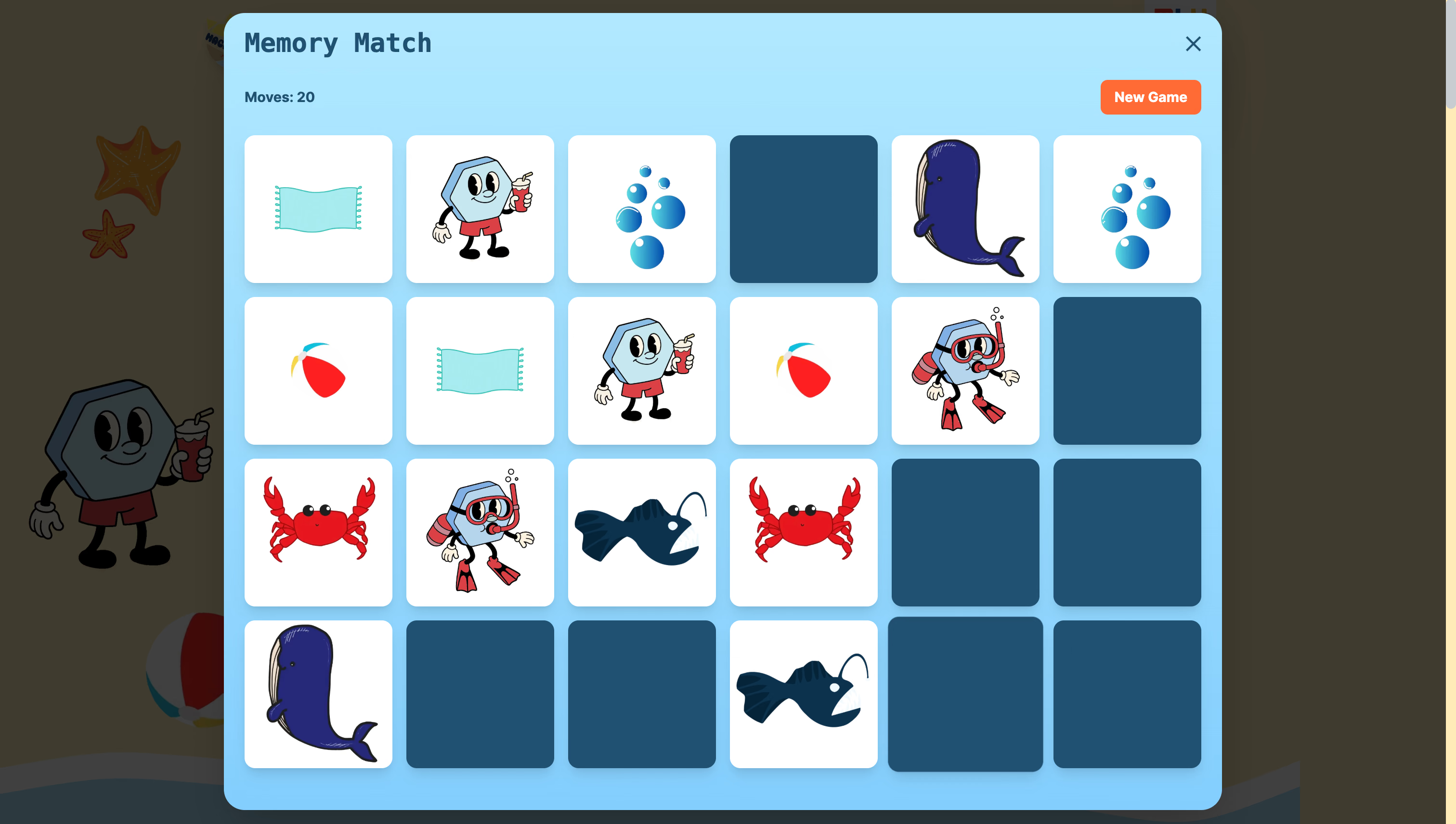
This started as a simple "click for a surprise" idea but evolved into a complete game. When you click the starfish, it triggers a modal with a memory matching game featuring beach-themed images from our design assets.
The memory game with multiple difficulty levels and move tracking
// Simplified version of the memory game triggerconsthandleStarfishClick=()=>{setShowMemoryGame(true)// Opens modal with 12, 24, 36, or 100 card options}
The game tracks your moves, shows win states, and has multiple difficulty levels. It's probably the most polished easter egg on the site and some people have spent way too much time trying to beat the 100-card mode.
2. Chill Hacky's Quote Generator
Location: Click the floating character in the hero section What it does: Shows random HackPSU-themed motivational quotes
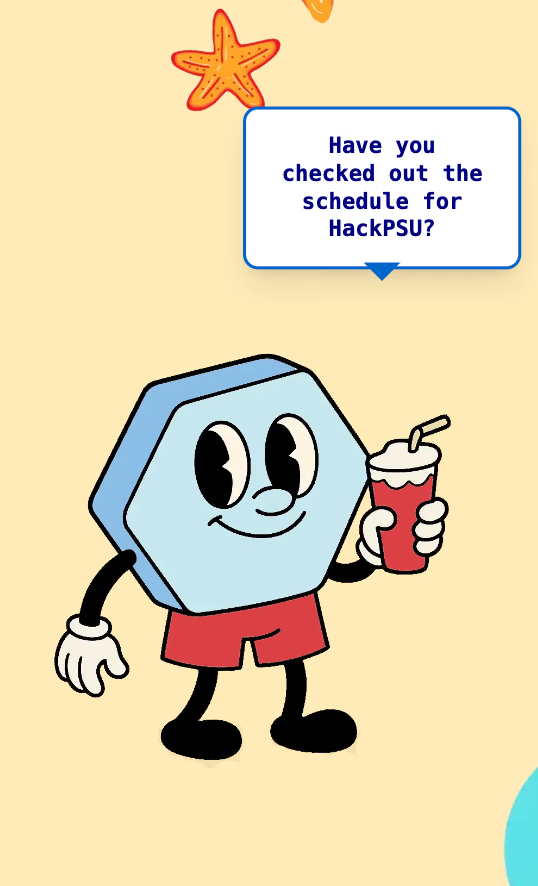
Our mascot character "Chill Hacky" isn't just for show. Click on him and he'll share one of 16 different motivational messages about HackPSU in a speech bubble that appears above his head.
Chill Hacky shares random motivational messages when clicked
consthackpsuQuotes=['Ready to hack the future? 🚀','36 hours of pure innovation awaits!','Code, create, and change the world!',// ... 13 more quotes]constshowRandomQuote=()=>{constrandomQuote=hackpsuQuotes[Math.floor(Math.random()*hackpsuQuotes.length)]// Display in speech bubble for 4 seconds}
The speech bubble has a nice floating animation and automatically disappears after 4 seconds. We wanted to give our mascot some personality beyond just looking cute.
3. The Crab Army Invasion
Location: Click on the main "HackPSU Fall 2025" title What it does: Spawns an army of animated crabs that march across your screen
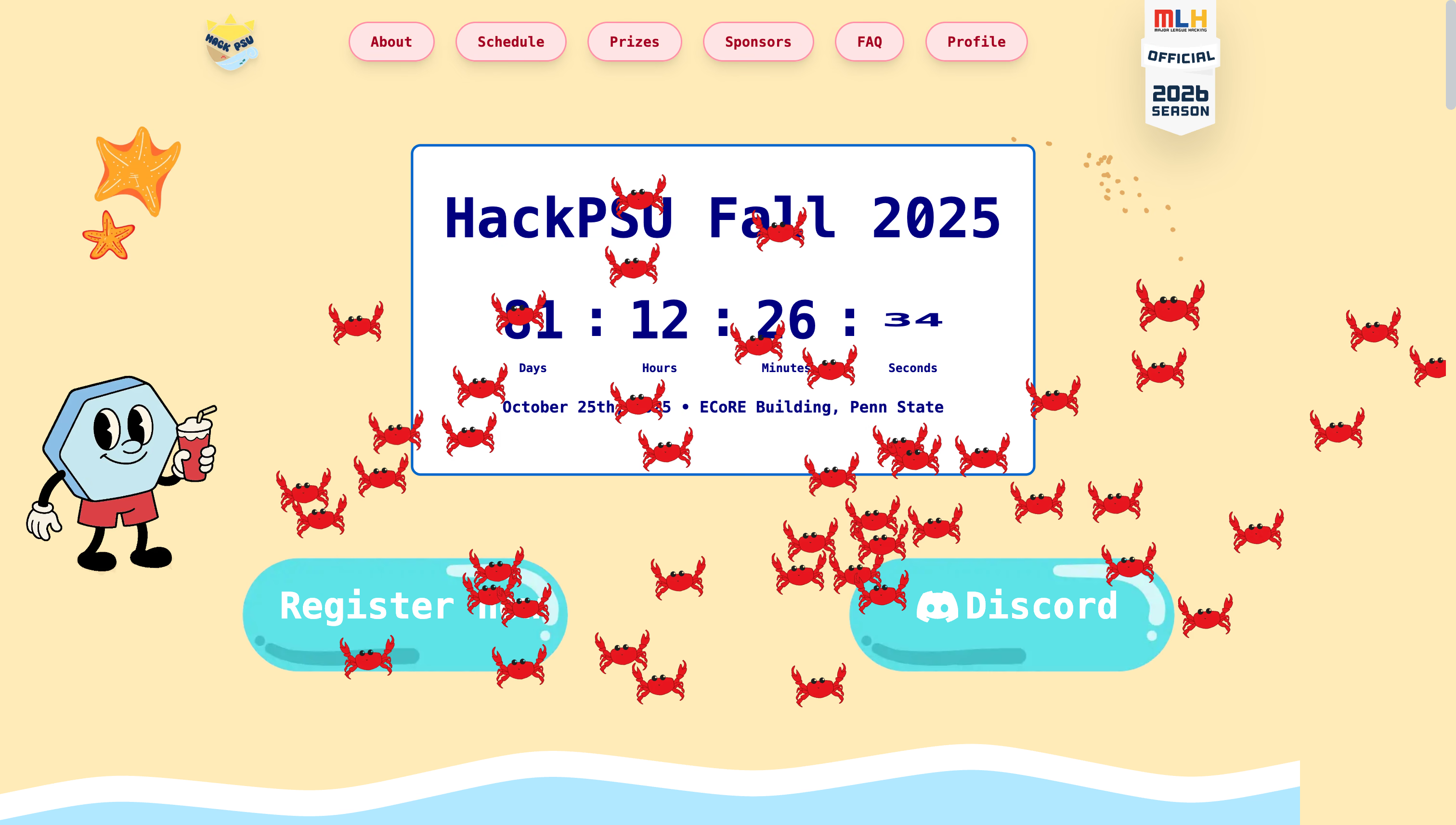
This is probably our most chaotic easter egg. Click the main title and suddenly 45-55 randomly positioned crabs appear and start walking across your screen in different directions.
The crab army in action with random positions and walking animations
constspawnCrabArmy=()=>{constcrabCount=Math.floor(Math.random()*11)+45// 45-55 crabsfor(leti=0;i<crabCount;i++){constcrab={id:Date.now()+i,x:Math.random()*window.innerWidth,y:Math.random()*window.innerHeight,direction:Math.random()>0.5?'left':'right',speed:Math.random()*2+1,}// Add walking animation and cleanup after completion}}
Each crab has its own random walking path, speed, and direction. They all disappear after their animations complete, and we prevent multiple armies from spawning simultaneously (learned that lesson the hard way during testing).
The Console Message: For Fellow Developers
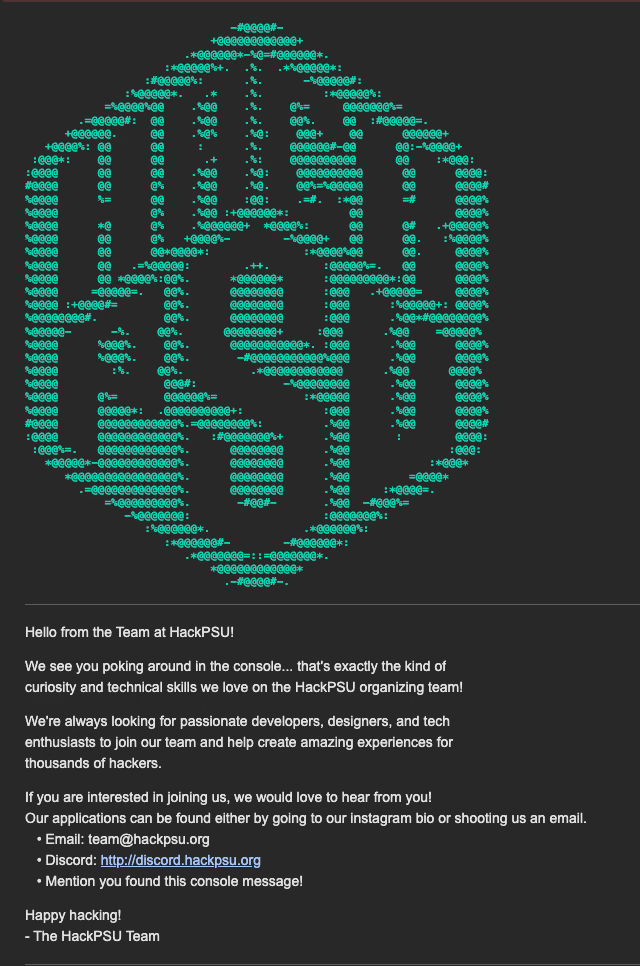
Location: Open your browser's developer console What it does: Displays HackPSU ASCII art and a recruitment message
The hidden console message targeting developers
This targets exactly the kind of person we want on our organizing team: developers curious enough to inspect the code. The turquoise ASCII logo matches our brand colors, and we've actually gotten several team applications from people who found this message.
Schedule Section: Scroll-Controlled Surfboard
Location: Scroll through the schedule section What it does: A surfboard moves horizontally based on your scroll position
Using Framer Motion's useScroll and useTransform, we created a surfboard that "surfs" across the screen as you scroll through the schedule section.
It moves from left to right as you scroll down, with a subtle floating animation layered on top. It's a small detail that reinforces the beach theme while making the scrolling experience more engaging.
FAQ Section: The Swimming Fish
Location: Click the fish in the FAQ section What it does: Changes the fish's swimming animation pattern
Simple but satisfying – the fish has one swimming animation by default, but click it and it switches to a different animation pattern. It's the kind of small interaction that makes a site feel alive.
Footer: The Deep-Sea Mouse Chaser
Location: Click the scary deep-sea fish in the footer What it does: The fish follows your mouse cursor around the screen
This is our most technically interesting easter egg. Click the deep-sea fish and it starts following your mouse cursor around the entire page, complete with a pulsing blue glow effect.
The fish gets a glowing effect and smoothly follows your cursor until you click it again to turn off chase mode. It's surprisingly addictive to watch.
Why Easter Eggs Matter
These interactions took extra development time that we could have spent on "core features," but they've become some of the most talked-about aspects of our site. They encourage exploration, create memorable moments, and give our brand personality.
Plus, from a technical perspective, they were great opportunities to experiment with animations, event handlers, and creative uses of React hooks without the pressure of core functionality.
Implementation Notes
Most of these easter eggs are built with:
React state management for tracking interaction states
Framer Motion for smooth animations and scroll-based effects
CSS keyframes for complex walking/swimming animations
Event listeners for mouse tracking and click detection
Conditional rendering to show/hide easter egg elements
The key is making them feel polished rather than gimmicky. Each interaction should enhance the user experience rather than distract from it.
Want to discover these easter eggs yourself? Head over to hackpsu.org and start clicking around. And if you're a developer who found this blog post, maybe consider joining our team because we love people who appreciate good easter eggs.
Pro tip: Try the 100-card memory game if you really want a challenge.