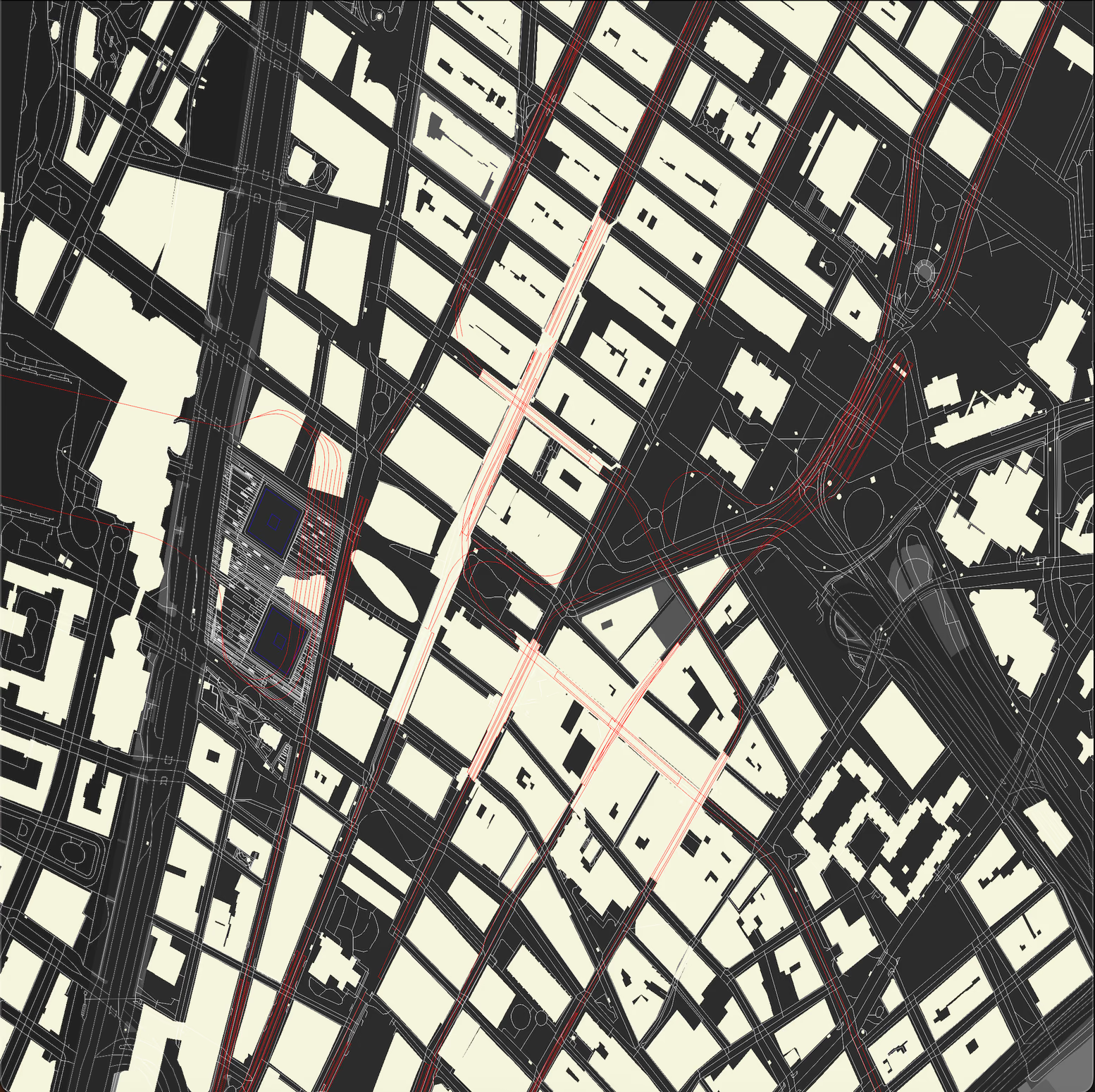
Weekend Project: Building a High-Performance Maps Renderer in Rust
Weekend projects are supposed to be small, contained experiments. You pick a technology you want to try, spend Saturday afternoon tinkering, maybe Sunday morning polishing, and you've learned something new.
But sometimes you download a 2GB OpenStreetMap file of New York City, think "how hard could it be to render this?", and three weekends later you've built a parallel map rendering engine that processes millions of geographic features and generates stunning visualizations.
That's what happened here.
The "Something New Every Weekend" Challenge
Last summer, I committed to learning something completely new every weekend. Not just reading about it or watching tutorials, but actually building something. The rules were simple:
Pick a technology or concept I'd never touched
Build something functional by Sunday night
Share what I learned (the failures included)
This particular weekend, I was curious about two things: Rust's performance claims and how mapping software actually works. Google Maps makes it look effortless, but what does it take to turn raw geographic data into those beautiful visualizations we see every day?
Spoiler alert: it's way more interesting than I expected, and yes, I had to make sure it supported airports. Because planes. I like planes.
The Raw Material: OpenStreetMap Data
OpenStreetMap (OSM) is basically Wikipedia for geographic data. It's a massive, crowd-sourced database of roads, buildings, rivers, airports, and pretty much everything else you can see from above. The data comes in .pbf files (Protocol Buffer Format) that are compressed but still enormous.
The New York City metro area file? 2.1GB compressed. Uncompressed, we're talking about millions of geographic features:
Highways: Every road from interstates to tiny residential streets
Buildings: Individual structures with precise outlines
Natural features: Parks, forests, beaches
Aeroways: Runways, taxiways, terminal buildings (my personal favorite)
Multipolygons: Complex shapes like airports or large parks
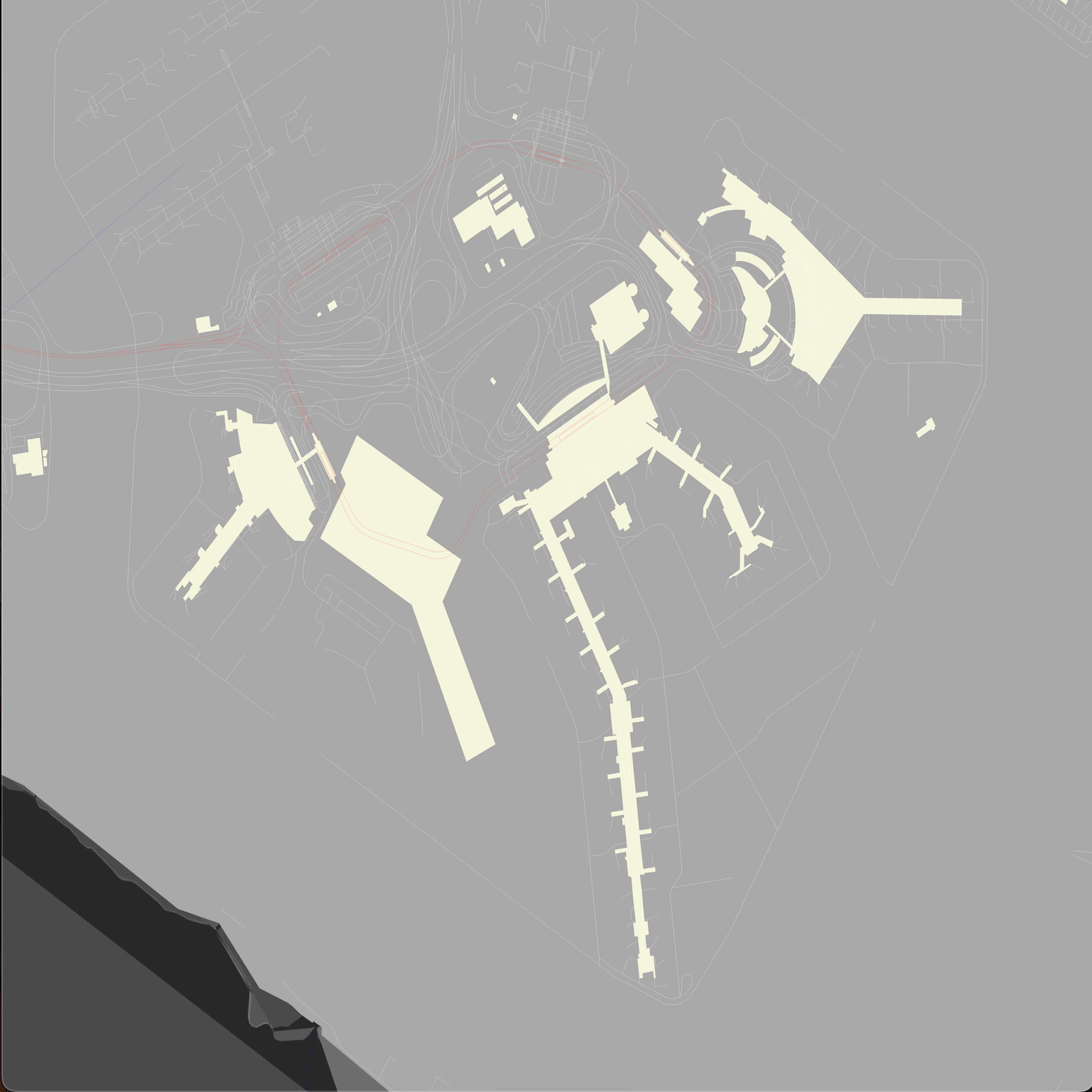
JFK Airport showing runway layouts and terminal buildings in detail
Here's what makes this challenging: each feature is defined by a series of coordinate points (longitude, latitude), and a single "way" (OSM's term for a connected line or polygon) can have hundreds of points. The NYC dataset contains roughly 8 million nodes and 800,000 ways.
That's a lot of data to parse, process, and render efficiently.
Weekend #1: "How Hard Could Parsing Be?"
My first naive approach was simple: read the file, extract coordinates, draw lines. I figured I'd have a basic map by Saturday evening.
Three hours later, I was staring at Rust compiler errors and wondering why geographic data formats are so complicated.
Here's what I learned:
OSM Data Structure is Hierarchical
// Nodes: Individual points with coordinatesNode{id:12345,lat:40.7589,lon:-73.9851}// Ways: Collections of nodes forming lines or polygonsWay{id:67890,nodes:[12345,12346,12347],tags:{"highway":"primary","name":"Queens Boulevard"}}// Relations: Collections of ways forming complex shapesRelation{id:111213,members:[way_67890,way_67891],tags:{"type":"multipolygon","aeroway":"aerodrome"}}
You can't just read the file sequentially. You need to:
Parse all nodes first (to build a coordinate lookup table)
Process ways (connecting node IDs to actual coordinates)
Handle relations (which group ways into complex shapes like airports)
The osmpbfreader Crate Saves the Day
After wrestling with Protocol Buffer specs, I discovered the osmpbfreader crate. It handles all the binary parsing complexity:
useosmpbfreader::{OsmId,OsmObj,OsmPbfReader,Relation,Way};pubfnread_osm_data(filename:&OsStr)->(HashMap<i64,(f64,f64)>,// Node coordinatesVec<WayCoords>,// HighwaysVec<WayCoords>,// WaterwaysVec<WayCoords>,// RailwaysVec<WayCoords>,// BuildingsVec<WayCoords>,// Natural featuresVec<WayCoords>,// Aeroways (!)Vec<Vec<WayCoords>>,// Multipolygons){letr=std::fs::File::open(std::path::Path::new(filename)).unwrap();letmutpbf=OsmPbfReader::new(r);letmutnodes:HashMap<i64,(f64,f64)>=HashMap::new();letmuthighways:Vec<WayCoords>=Vec::new();// ... other collectionsforobjinpbf.par_iter().map(Result::unwrap){matchobj{OsmObj::Node(node)=>{nodes.insert(node.id.0,(node.lon(),node.lat()));}OsmObj::Way(way)=>{letway_nodes=extract_way_nodes(&way,&nodes);matchway.tags.get("aeroway"){Some(_)=>aeroways.push(way_nodes),// Airports!None=>{ifway.tags.get("highway").is_some(){highways.push(way_nodes);}// ... handle other types}}}// Handle relations for complex shapes}}}
Notice that pbf.par_iter()? The crate supports parallel iteration out of the box. On my MacBook, this cut parsing time from 4 minutes to about 34 seconds.
By Sunday night of weekend #1, I had successfully parsed the NYC dataset and could categorize different feature types. No rendering yet, but hey, progress.
Weekend #2: "Rendering... How Hard Could It Be?"
Famous last words, right?
My initial rendering approach was embarrassingly simple: convert lat/lon coordinates to pixel coordinates, draw lines between consecutive points. I figured the image crate would handle everything else.
Four hours of debugging later, I learned why proper map rendering is an art form.
Challenge #1: Coordinate Conversion
Geographic coordinates (latitude, longitude) don't map linearly to screen pixels. The Earth is round, screens are flat, and projection matters.
For this project, I went with the simplest approach: treat the bounding box as a rectangle and scale linearly:
This works surprisingly well for city-scale maps where distortion is minimal. For larger areas, you'd want proper projections like Web Mercator.
Challenge #2: Line Quality
My first rendered map had jagged lines, pixelated curves, and aliasing everywhere.
Wu's line algorithm is an anti-aliased line drawing technique that creates smooth, professional-looking lines:
fndraw_line_wu(img:&mutRgbaImage,x0:i32,y0:i32,x1:i32,y1:i32,color:Rgba<u8>){let(dx,dy)=((x1-x0).abs(),(y1-y0).abs());// Handle steep lines by swapping x/y coordinateslet(mutx0,muty0,mutx1,muty1)=ifdy>dx{(y0,x0,y1,x1)}else{(x0,y0,x1,y1)};ifx0>x1{std::mem::swap(&mutx0,&mutx1);std::mem::swap(&muty0,&muty1);}letgradient=ifx1-x0==0{1.0}else{(y1-y0)asf32/(x1-x0)asf32};letmutintery=(y0asf32)+gradient*0.5;forxinx0..=x1{// Draw two pixels with alpha blending for smooth linesplot(img,x,intery.floor()asi32,color,1.0-(intery-intery.floor()));plot(img,x,intery.floor()asi32+1,color,intery-intery.floor());intery+=gradient;}}
The alpha blending creates smooth lines. Instead of drawing hard-edged pixels, Wu's algorithm draws partially transparent pixels that create the illusion of smooth lines.
Challenge #3: Memory and Performance
Rendering the full NYC dataset at 4K resolution (4096x4096 pixels) was eating 16GB+ of RAM and taking 20+ minutes. That's not exactly weekend project friendly.
Time for some optimization.
Weekend #3: "Let's Make It Fast"
This is where Rust really shines. The language gives you fine-grained control over memory and concurrency without the usual pain of manual memory management.
Optimization #1: Tiled Rendering
Instead of creating one massive 24,576×24,576 pixel image, I switched to tiled rendering:
lettiles_x=6;lettiles_y=6;letimg_size:u32=4096;// Each tile is 4Kletlon_step=(max_lon-min_lon)/tiles_xasf64;letlat_step=(max_lat-min_lat)/tiles_yasf64;lettiles:Vec<(usize,usize)>=(0..tiles_x).flat_map(|x|(0..tiles_y).map(move|y|(x,y))).collect();tiles.par_iter().for_each(|&(x,y)|{lettile_min_lon=min_lon+xasf64*lon_step;lettile_max_lon=tile_min_lon+lon_step;// Calculate tile bounds...letmutimg:RgbaImage=RgbaImage::new(img_size,img_size);// Render only features that intersect this tileletfile_name=format!("temp/{}_{}.png",x,y);img.save(&file_name).unwrap();});
This approach has several benefits:
Memory efficient: Only one 4K image in memory per thread
Parallelizable: Each tile renders independently
Cacheable: Individual tiles can be cached and reused
Scalable: Want higher resolution? Just use more/larger tiles
Optimization #2: Rayon for Parallelization
Rust's rayon crate makes parallel processing almost trivial. That .par_iter() automatically distributes work across CPU cores:
userayon::iter::{ParallelIterator,IntoParallelRefIterator};// Parallel tile renderingtiles.par_iter().for_each(|&(x,y)|{// Each tile renders on a separate threadrender_tile(x,y,&highways,&waterways,/* ... */);});// Parallel image stitchingtile_coordinates.par_iter().for_each(|&(x,y)|{lettile_image=image::open(format!("temp/{}_{}.png",x,y)).unwrap();// Composite into final image});
On my MacBook, this reduced total rendering time from 20+ minutes to about 3 minutes. Each tile renders in parallel, then they're stitched together into the final image.
Optimization #3: Smart Caching
Parsing that 2GB OSM file takes time, even with parallel processing. For iteration during development, I added a binary cache:
The first run parses the OSM file and saves the processed data. Subsequent runs load from cache in under 2 seconds instead of 12+ seconds. During development, this time savings adds up quickly.
The Rendering Pipeline: Layer by Layer
Modern maps aren't just lines on a white background. They're carefully composed layers that create depth and visual hierarchy. Here's my rendering order:
Drag to pan · Arrow keys to move
Loading diagram…
Complete architecture of the Rust maps renderer showing data flow, parallel processing, and layered rendering pipeline
Parks, forests, and other natural areas provide the base layer. I use semi-transparent green so other features can show through.
Layer 2: Multipolygons (Complex Shapes)
Airports, large parks, and other complex areas are often defined as multipolygons, collections of interconnected shapes:
fndraw_multipolygons(img:&mutRgbaImage,multipolygons:&[Vec<Vec<(f64,f64)>>],// ... parametersbase_color:Rgba<u8>,){formultipolygoninmultipolygons{for(i,polygon)inmultipolygon.iter().enumerate(){// Slight color variation for each polygon partletcolor_adjustment=(iasu8*30)%255;letadjusted_color=Rgba([(base_color[0]asu16+color_adjustmentasu16)asu8%255,base_color[1],base_color[2],base_color[3],]);draw_polygon_mut(img,&polygon_points,adjusted_color);}}}
Layer 3: Aeroways (Because Planes!)
This is where my aviation obsession shows. Airports get special treatment with detailed runway and taxiway rendering:
draw_buildings(&mutimg,aeroways,tile_min_lon,tile_min_lat,tile_max_lon,tile_max_lat,img_size,Rgba([169,169,169,255]),// Gray for runways/taxiways);
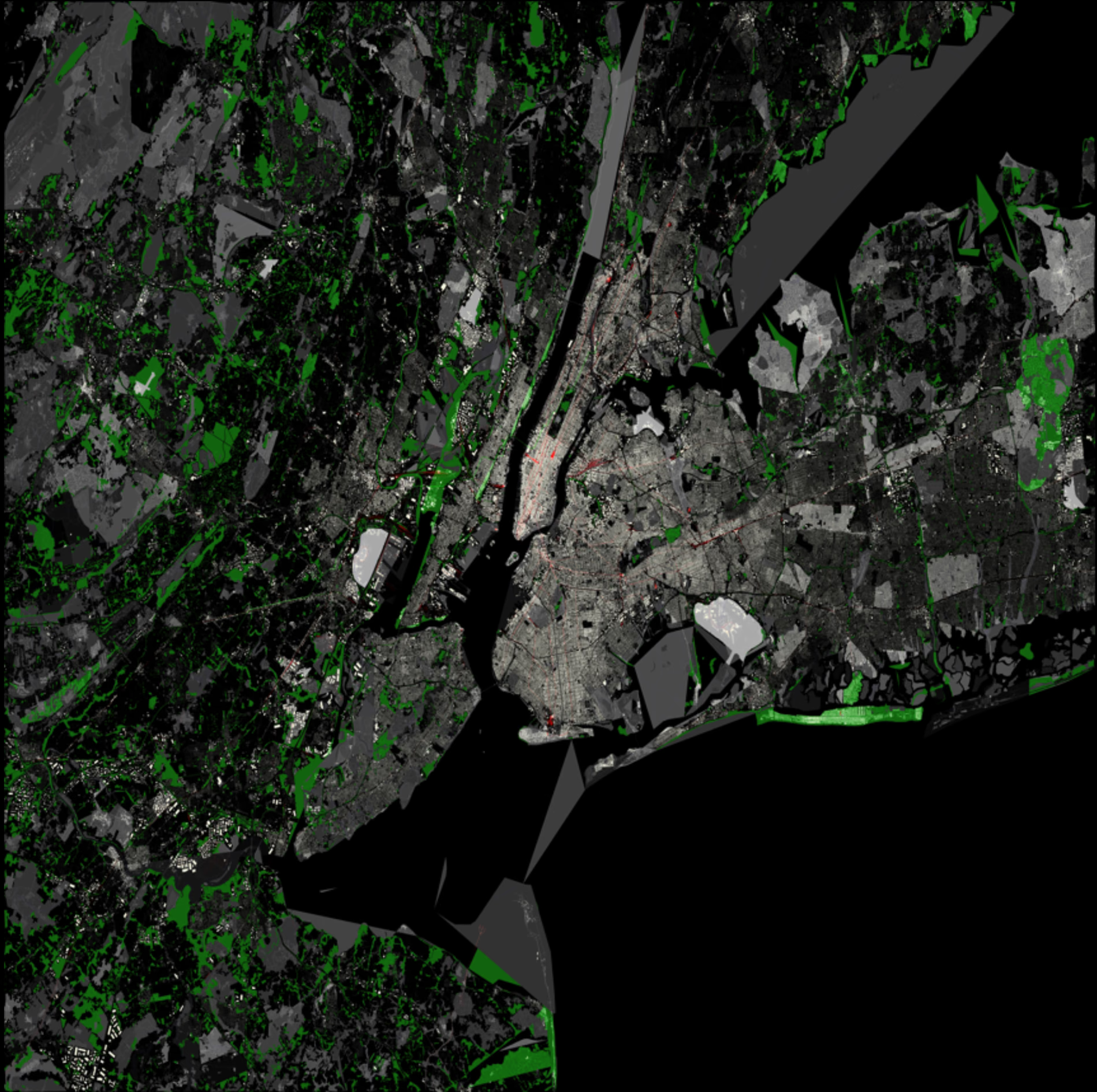
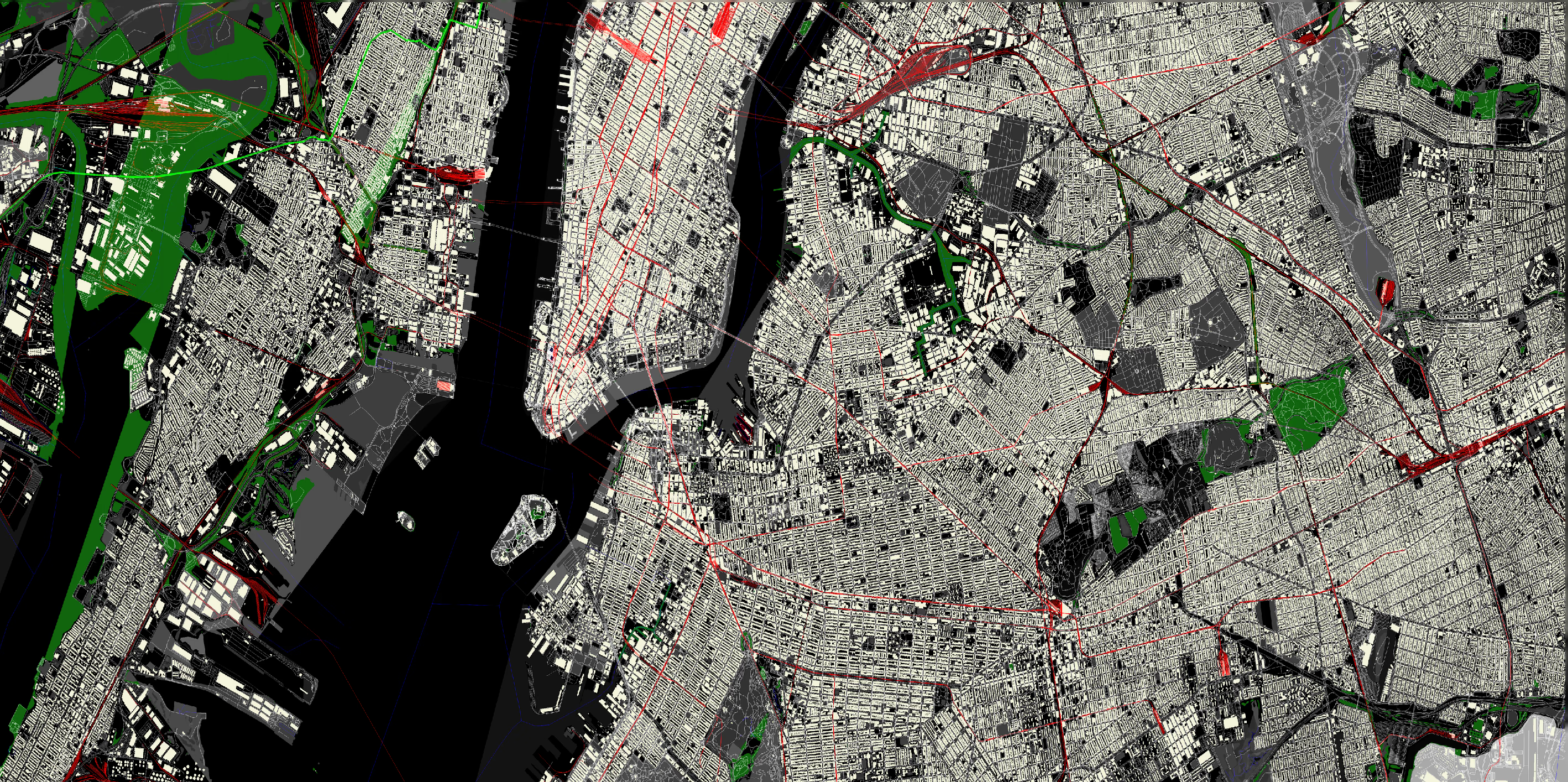
NYC area showing Newark airports with detailed views of the city.
Buildings: Beige polygons for individual structures
Highways: White lines using Wu's algorithm for smooth rendering
Waterways: Blue lines for rivers and streams
Railways: Red lines for train tracks
The layering creates natural visual hierarchy. Water appears to flow under bridges, railways cross over roads, etc.
Bonus Feature: Pathfinding
Because I had some weekend time left, I added A* pathfinding capabilities. The idea is simple: click two points on the map and see the optimal route.
Building the Graph
pubfnbuild_graph(highways:&[Vec<(f64,f64)>])->HashMap<Coord,Vec<Edge>>{letmutgraph=HashMap::new();forwayinhighways{forwindowinway.windows(2){let(lon1,lat1)=window[0];let(lon2,lat2)=window[1];letstart_id=Coord::new(lon1,lat1);letend_id=Coord::new(lon2,lat2);letcost=haversine_distance(lon1,lat1,lon2,lat2);// Bidirectional edges for roadsgraph.entry(start_id).or_insert_with(Vec::new).push(Edge{target:end_id,cost});graph.entry(end_id).or_insert_with(Vec::new).push(Edge{target:start_id,cost});}}graph}
Haversine Distance for Accurate Costs
fnhaversine_distance(lon1:f64,lat1:f64,lon2:f64,lat2:f64)->i64{letr=6371e3;// Earth's radius in metersletphi1=lat1.to_radians();letphi2=lat2.to_radians();letdelta_phi=(lat2-lat1).to_radians();letdelta_lambda=(lon2-lon1).to_radians();leta=(delta_phi/2.0).sin()*(delta_phi/2.0).sin()+phi1.cos()*phi2.cos()*(delta_lambda/2.0).sin()*(delta_lambda/2.0).sin();letc=2.0*a.sqrt().atan2((1.0-a).sqrt());((r*c)*1e8)asi64// Scale for integer precision}
The haversine formula calculates great-circle distances between points on Earth's surface. It's more accurate than simple Euclidean distance for geographic coordinates.
On my 8-core MacBook Pro, the system consistently processes the full NYC dataset in under 4 minutes from cold start (including parsing). With cached data, it's closer to 3 minutes.
What I Learned About Rust
This project was my deep dive into Rust, and it exceeded expectations in several areas:
Memory Safety Without Performance Cost
Rust's ownership system prevented several classes of bugs I would've hit in C++. No dangling pointers, no buffer overflows, no data races. But the performance was still excellent, comparable to optimized C code.
Fearless Concurrency
The rayon crate made parallel processing almost trivial. In other languages, I'd worry about thread safety, locks, and race conditions. Rust's type system makes data races impossible at compile time.
Cargo Ecosystem
The crate ecosystem is impressive. Complex tasks like:
OSM parsing (osmpbfreader)
Parallel iteration (rayon)
Image processing (image, imageproc)
Pathfinding algorithms (pathfinding)
Binary serialization (bincode, serde)
All handled by well-maintained, performant crates.
Error Handling
Rust's Result type forces you to handle errors explicitly. No silent failures, no mysterious crashes. Every function that can fail returns a Result, and you handle it or explicitly propagate it.
The Weekend Project Reflection
What started as "let me try Rust and see how map rendering works" turned into a fairly sophisticated system. But that's the beauty of weekend projects. They give you permission to explore deeper than you originally planned.
Key lessons:
Start simple: My first goal was just parsing the file. Each weekend built on the previous one.
Parallel processing matters: Rayon cut rendering time by 6x with minimal code changes.
Caching is crucial: Binary serialization saved tons of development time.
Layer ordering matters: Geographic visualization is all about proper compositing.
Rust delivers on its promises: Memory safety without performance compromise is real.
The system isn't perfect. It doesn't handle map projections properly, the styling is basic, and there's no interactive UI. But it successfully processes massive datasets, renders beautiful maps, and includes pathfinding capabilities.
Plus, it renders airports beautifully. Because sometimes you build things just because you love planes, and that's perfectly fine.
What's Next?
Well I have a couple of ideas that I can jot down below, but the project served its purpose as a learning experience and a fun weekend challenge.
With that said, here are some potential next steps if I wanted to continue:
Web interface: Interactive tile server with zoom/pan capabilities
Proper projections: Web Mercator support for larger areas
Styling engine: Configurable colors, line weights, and feature visibility
Real-time updates: OSM diff processing for live map updates
Mobile optimization: Efficient rendering for resource-constrained devices
The code is functional, the performance is solid, and I learned a ton about both Rust and cartography. That's a successful weekend project in my book.
If you're thinking about trying Rust or diving into geographic data processing, I'd highly recommend starting with a similar project. The combination of performance, safety, and excellent tooling makes Rust perfect for data-intensive applications.
And yes, make sure your renderer supports airports. You never know when you'll need to visualize some runways.
Want to explore the code? Check out the full implementation on GitHub. The repository includes all the parsing, rendering, and pathfinding code discussed in this post.